



Question: Addressing Table (Devices in the shaded cells have already been configured) Part 1: Configure the host names and IP addresses on the NATRouter and the
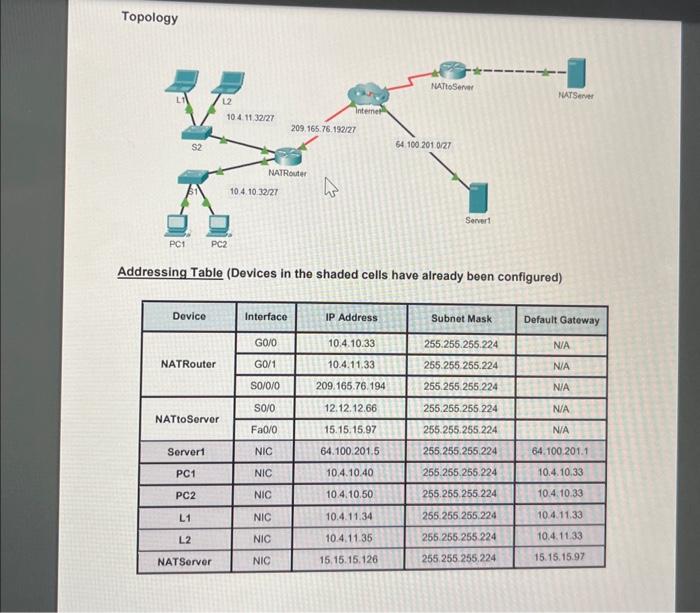
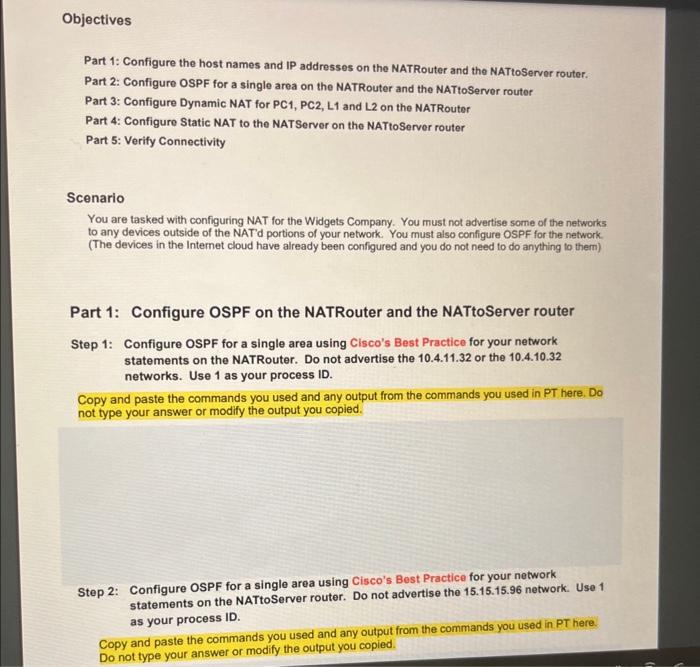
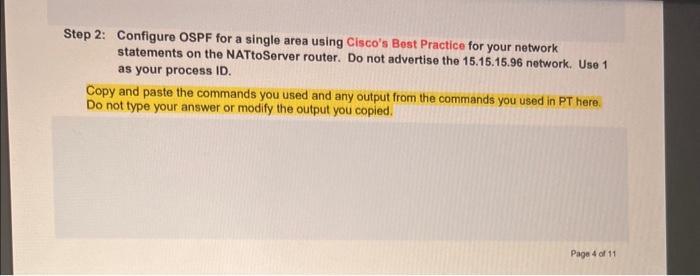
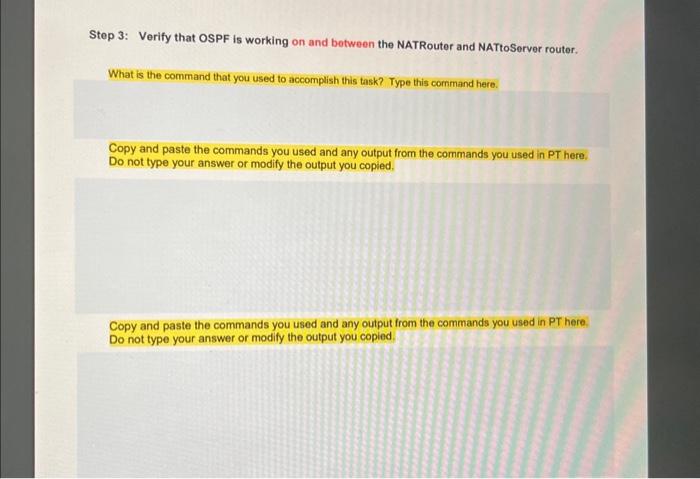
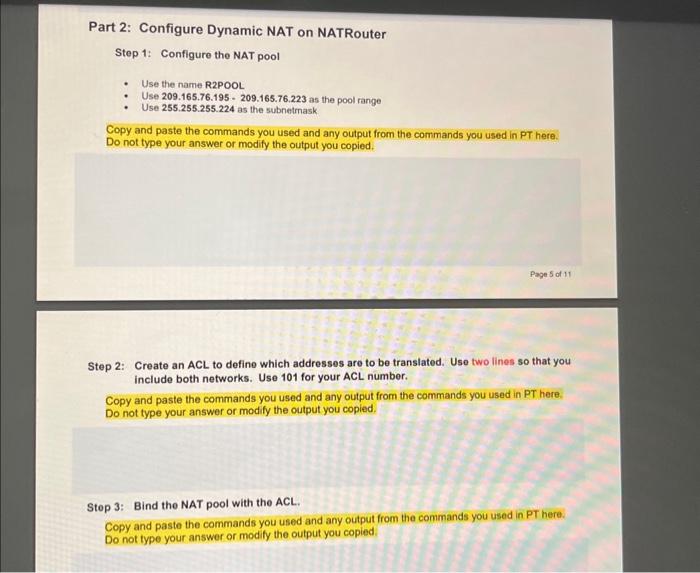
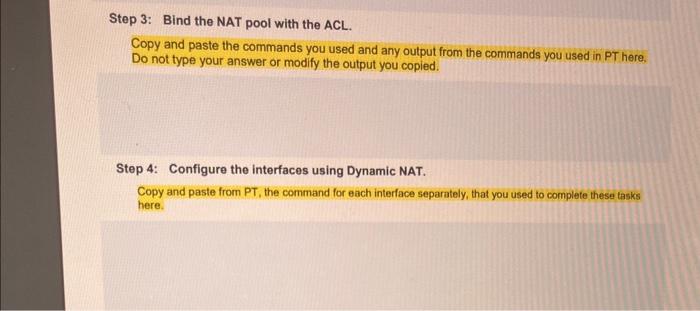
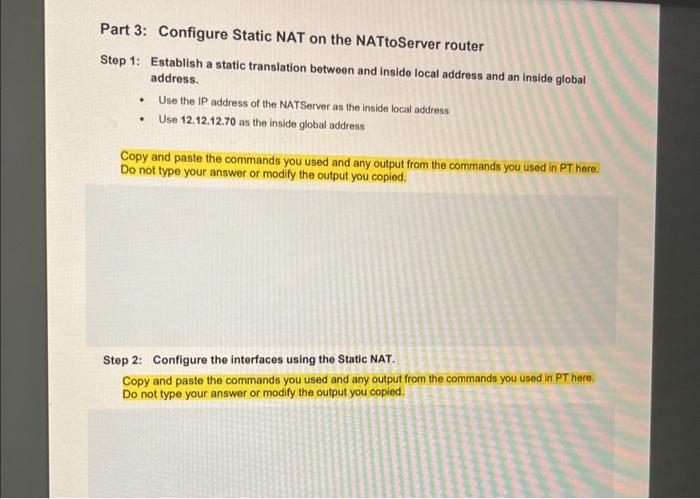
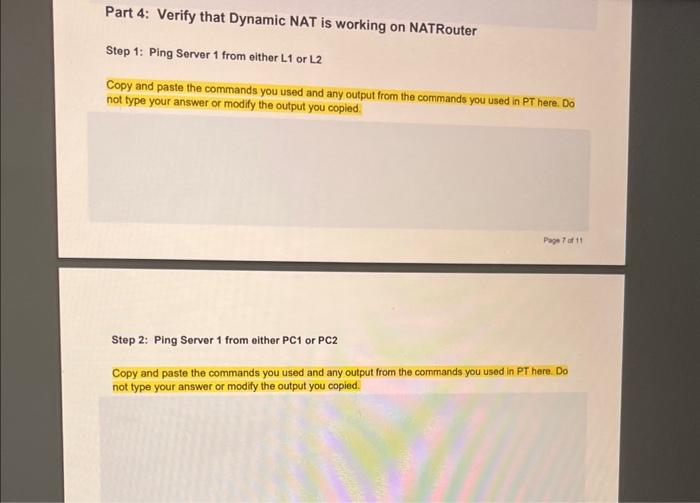
Addressing Table (Devices in the shaded cells have already been configured) Part 1: Configure the host names and IP addresses on the NATRouter and the NATtoServer router. Part 2: Configure OSPF for a single area on the NATRouter and the NATtoServer router Part 3: Configure Dynamic NAT for PC1, PC2, L1 and L2 on the NATRouter Part 4: Configure Static NAT to the NATServer on the NATtoServer router Part 5: Verify Connectivity Scenario You are tasked with configuring NAT for the Widgets Company. You must not advertise some of the networks to any devices outside of the NAT'd portions of your network. You must also configure OSPF for the network. (The devices in the Internet cloud have already been configured and you do not need to do anything to them) Part 1: Configure OSPF on the NATRouter and the NATtoServer router Step 1: Configure OSPF for a single area using Cisco's Best Practice for your network statements on the NATRouter. Do not advertise the 10.4.11.32 or the 10.4.10.32 networks. Use 1 as your process ID. Copy and paste the commands you used and any output from the commands you used in PT here. Do not type your answer or modify the output you copied. Step 2: Configure OSPF for a single area using Cisco's Best Practice for your network statements on the NATtoServer router. Do not advertise the 15.15.15.96 network. Use 1 as your process ID. Copy and paste the commands you used and any output from the commands you used in PT here. Do not type your answer or modify the output you copied. Step 2: Configure OSPF for a single area using Cisco's Best Practice for your network statements on the NATtoServer router. Do not advertise the 15.15.15.96 network. Use 1 as your process ID. Copy and paste the commands you used and any output from the commands you used in PT here. Do not type your answer or modify the output you copied. Step 3: Verify that OSPF is working on and botween the NATRouter and NATtoServer router. What is the command that you used to accomplish this task? Type this command here. Copy and paste the commands you used and any output from the commands you used in PT here. Do not type your answer or modify the output you copied. Copy and paste the commands you used and any output from the commands you used in PT here. Do not type your answer or modify the output you copied. Part 2: Configure Dynamic NAT on NATRouter Step 1: Configure the NAT pool - Use the name R2POOL - Use 209.165.76.195 - 209.165.76.223 as the pool range - Use 255.255.255.224 as the subnetrnask Copy and paste the commands you used and any output from the commands you used in PT here. Do not type your answer or modify the output you copied. Step 2: Create an ACL to define which addresses are to be translated. Use two lines so that you include both networks. Use 101 for your ACL number. Copy and paste the commands you used and any output from the commands you used in PT here. Do not type your answer or modify the output you copied. Step 3: Bind the NAT pool with the ACL. Copy and paste the commands you used and any output from the commands you used in PT here. Do not type your answer or modify the output you copied. Step 3: Bind the NAT pool with the ACL. Copy and paste the commands you used and any output from the commands you used in PT here. Do not type your answer or modify the output you copied. Step 4: Configure the interfaces using Dynamic NAT. Copy and paste from PT, the command for each interface separately, that you used to complete these tasks here. Part 3: Configure Static NAT on the NATtoServer router Step 1: Establish a static translation botween and inside local address and an inside global address. - Use the IP address of the NATServer as the inside local address - Use 12.12.12.70 as the inside global address Copy and paste the commands you used and any output from the commands you used in PT here. Do not type your answer or modify the output you copied. Step 2: Configure the interfaces using the Static NAT. Copy and paste the commands you used and any output from the commands you used in PT here. Do not type your answer or modify the output you copied. Part 4: Verify that Dynamic NAT is working on NATRouter Step 1: Ping Server 1 from either L1 or L2 Copy and paste the commands you used and any output from the commands you used in PT here. Do not type your answer or modify the output you copied. Step 2: Ping Server 1 from either PC1 or PC2 Copy and paste the commands you used and any output from the commands you used in PT here. Do not type your answer or modify the output you copied. Step 3: Use the Web Browser to access Server 1 from either L1 or L2 Copy and paste the commands you used and any output from the commands you used in PT here. Do not type your answer or modify the output you copied. step 4: Use the Web Browser to access Server 1 from either PC1 or PC2 Copy and paste the commands you used and any output from the commands you used in PT here. Do not type your answer or modify the output you copied. Part 5a: Verifying that Static NAT is working on the NATtoServer router Step 1: Ping the NATServer IP address from either L1 or L2 Where you successful with the ping? Why or Why not? Type your answer here. Step 2: Ping the NATServer IP address from either PC1 or PC2 Where you successful with the ping? Why or Why not? Type your answer here. Step 3: Ping the Inside Global IP address from either L1 or L2 Where you successful with the ping? Why or Why not? Type your answer here. Step 4: Ping the Inside Global IP address from oither PC1 or PC2 Where you successful with the ping? Why or Why not? Type your answer here. Part 5b: Verifying that Static NAT is working on NATtoServer router Step 1: Ping the Global Inside IP address from either L1 or L.2 What is the command that you used to verify that Static NAT is working on the NATIDServer router? Copy and paste the commands you used and any output from the commands you used in PT here. Do not type your answer or modify the output you copied. Step 2: Ping the Global Inside IP address from either PC1 or PC2 What is the command that you used to verify that Static NAT is working on the NAT toServer router? Copy and paste the commands you used and any output from the commands you used in PT here. Do not type your answer or modify the output you copied. Step 3: Use the Web Browser to access NATServer from either L1 or L2 What is the command that you used to verify that Static NAT is working on the NATtoServer router? Copy and paste the commands you used and any output from the commands you used in PT here. Do not type your answer or modify the output you copied. Step 4: Use the Web Browser to access NATServer from either PC1 or PC2 What is the command that you used to verify that Static NAT is working on the NAT toServer router? Copy and paste the commands you used and any output from the commands you used in PT here. Do not type your answer or modify the output you copied. Addressing Table (Devices in the shaded cells have already been configured) Part 1: Configure the host names and IP addresses on the NATRouter and the NATtoServer router. Part 2: Configure OSPF for a single area on the NATRouter and the NATtoServer router Part 3: Configure Dynamic NAT for PC1, PC2, L1 and L2 on the NATRouter Part 4: Configure Static NAT to the NATServer on the NATtoServer router Part 5: Verify Connectivity Scenario You are tasked with configuring NAT for the Widgets Company. You must not advertise some of the networks to any devices outside of the NAT'd portions of your network. You must also configure OSPF for the network. (The devices in the Internet cloud have already been configured and you do not need to do anything to them) Part 1: Configure OSPF on the NATRouter and the NATtoServer router Step 1: Configure OSPF for a single area using Cisco's Best Practice for your network statements on the NATRouter. Do not advertise the 10.4.11.32 or the 10.4.10.32 networks. Use 1 as your process ID. Copy and paste the commands you used and any output from the commands you used in PT here. Do not type your answer or modify the output you copied. Step 2: Configure OSPF for a single area using Cisco's Best Practice for your network statements on the NATtoServer router. Do not advertise the 15.15.15.96 network. Use 1 as your process ID. Copy and paste the commands you used and any output from the commands you used in PT here. Do not type your answer or modify the output you copied. Step 2: Configure OSPF for a single area using Cisco's Best Practice for your network statements on the NATtoServer router. Do not advertise the 15.15.15.96 network. Use 1 as your process ID. Copy and paste the commands you used and any output from the commands you used in PT here. Do not type your answer or modify the output you copied. Step 3: Verify that OSPF is working on and botween the NATRouter and NATtoServer router. What is the command that you used to accomplish this task? Type this command here. Copy and paste the commands you used and any output from the commands you used in PT here. Do not type your answer or modify the output you copied. Copy and paste the commands you used and any output from the commands you used in PT here. Do not type your answer or modify the output you copied. Part 2: Configure Dynamic NAT on NATRouter Step 1: Configure the NAT pool - Use the name R2POOL - Use 209.165.76.195 - 209.165.76.223 as the pool range - Use 255.255.255.224 as the subnetrnask Copy and paste the commands you used and any output from the commands you used in PT here. Do not type your answer or modify the output you copied. Step 2: Create an ACL to define which addresses are to be translated. Use two lines so that you include both networks. Use 101 for your ACL number. Copy and paste the commands you used and any output from the commands you used in PT here. Do not type your answer or modify the output you copied. Step 3: Bind the NAT pool with the ACL. Copy and paste the commands you used and any output from the commands you used in PT here. Do not type your answer or modify the output you copied. Step 3: Bind the NAT pool with the ACL. Copy and paste the commands you used and any output from the commands you used in PT here. Do not type your answer or modify the output you copied. Step 4: Configure the interfaces using Dynamic NAT. Copy and paste from PT, the command for each interface separately, that you used to complete these tasks here. Part 3: Configure Static NAT on the NATtoServer router Step 1: Establish a static translation botween and inside local address and an inside global address. - Use the IP address of the NATServer as the inside local address - Use 12.12.12.70 as the inside global address Copy and paste the commands you used and any output from the commands you used in PT here. Do not type your answer or modify the output you copied. Step 2: Configure the interfaces using the Static NAT. Copy and paste the commands you used and any output from the commands you used in PT here. Do not type your answer or modify the output you copied. Part 4: Verify that Dynamic NAT is working on NATRouter Step 1: Ping Server 1 from either L1 or L2 Copy and paste the commands you used and any output from the commands you used in PT here. Do not type your answer or modify the output you copied. Step 2: Ping Server 1 from either PC1 or PC2 Copy and paste the commands you used and any output from the commands you used in PT here. Do not type your answer or modify the output you copied. Step 3: Use the Web Browser to access Server 1 from either L1 or L2 Copy and paste the commands you used and any output from the commands you used in PT here. Do not type your answer or modify the output you copied. step 4: Use the Web Browser to access Server 1 from either PC1 or PC2 Copy and paste the commands you used and any output from the commands you used in PT here. Do not type your answer or modify the output you copied. Part 5a: Verifying that Static NAT is working on the NATtoServer router Step 1: Ping the NATServer IP address from either L1 or L2 Where you successful with the ping? Why or Why not? Type your answer here. Step 2: Ping the NATServer IP address from either PC1 or PC2 Where you successful with the ping? Why or Why not? Type your answer here. Step 3: Ping the Inside Global IP address from either L1 or L2 Where you successful with the ping? Why or Why not? Type your answer here. Step 4: Ping the Inside Global IP address from oither PC1 or PC2 Where you successful with the ping? Why or Why not? Type your answer here. Part 5b: Verifying that Static NAT is working on NATtoServer router Step 1: Ping the Global Inside IP address from either L1 or L.2 What is the command that you used to verify that Static NAT is working on the NATIDServer router? Copy and paste the commands you used and any output from the commands you used in PT here. Do not type your answer or modify the output you copied. Step 2: Ping the Global Inside IP address from either PC1 or PC2 What is the command that you used to verify that Static NAT is working on the NAT toServer router? Copy and paste the commands you used and any output from the commands you used in PT here. Do not type your answer or modify the output you copied. Step 3: Use the Web Browser to access NATServer from either L1 or L2 What is the command that you used to verify that Static NAT is working on the NATtoServer router? Copy and paste the commands you used and any output from the commands you used in PT here. Do not type your answer or modify the output you copied. Step 4: Use the Web Browser to access NATServer from either PC1 or PC2 What is the command that you used to verify that Static NAT is working on the NAT toServer router? Copy and paste the commands you used and any output from the commands you used in PT here. Do not type your answer or modify the output you copied
Step by Step Solution
There are 3 Steps involved in it

Get step-by-step solutions from verified subject matter experts